EdEase
Hunter pride

Newcastle HSC tutoring with local flair

From Merewether to Maitland, EdEase brings Hunter Region context into every study session while keeping your workload manageable.

Stay connected to your community while preparing for the future you want.

  • Local STEM and creative industry examples
  • Adapts to selective, Catholic, and public schools
  • Share progress effortlessly with families and mentors
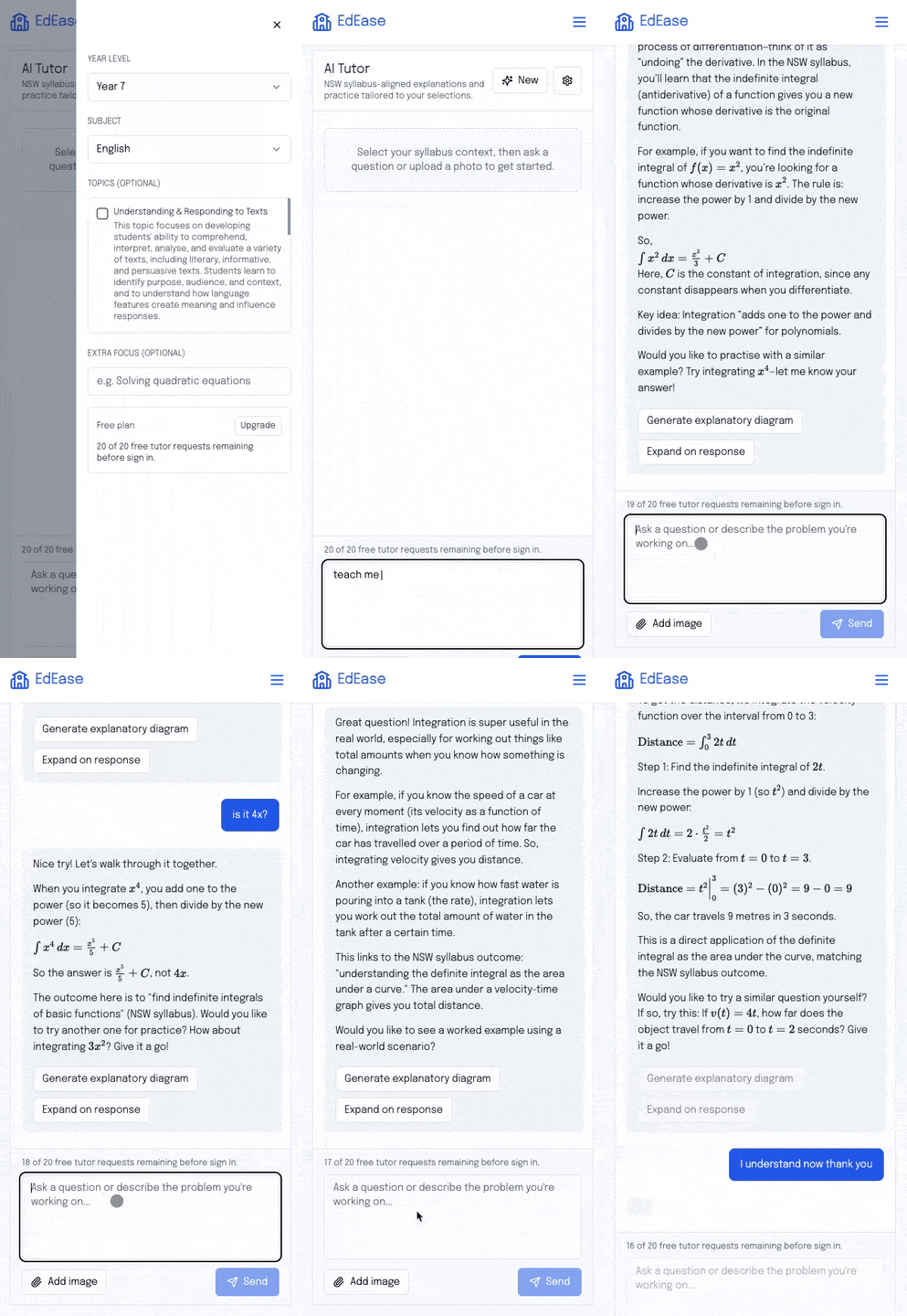
Animated preview of the EdEase AI tutor experience

Showcase the Hunter Region in your work

Incorporate Port of Newcastle logistics, Hunter medical research, and local arts scenes so your projects feel authentic.

  • Create STEM investigations tied to local industries
  • Highlight pathways from TAFE to the University of Newcastle
  • Balance academic rigour with wellbeing and downtime

Stay connected even across long distances

Generate wellbeing check-ins, study skill reminders, and family updates that respect regional travel times and commitments.

  • Offer flexible revision plans for students from the Valley
  • Share printable packs for homes with lower bandwidth
  • Celebrate milestones with ready-to-send messages

Collaborate across schools and mentors

Share assessment updates with teachers, mentors, or workplaces so everyone helps you out while you focus on the HSC.

Student stories

Students across Australia trust EdEase to stay exam-ready

Hear how real learners are using the AI tutor to break down complex topics, practise smarter, and walk into exams feeling prepared.

I love how EdEase includes Newcastle examples in my responses. It keeps me motivated and proud of where I am from.

Harper ShieldsYear 12 student, Newcastle

Frequently asked questions

Can it cover towns beyond Newcastle?

Yes. Adjust examples and transport considerations for Maitland, Cessnock, Lake Macquarie, and other Hunter communities in seconds.

How do I stay motivated through the year?

Track progress, celebrate wins, and set realistic challenges. EdEase keeps your motivation high by showing the gains you are making.

Do I need to be tech-savvy to use it?

Not at all. The interface is simple, guides you step by step, and there is support if you need help getting started.

Studying with a teacher or mentor too? Share this page and invite them to explore the educator tools via the I'm an educator button.